Background
Learn Ultra (opens in new tab), Blackboard’s modern learning management system, lacked feature parity with its predecessor. While the roadmap focused on matching existing capabilities, my team was tasked with identifying market-differentiating features unique to Ultra.
Through initial research, I learned that instructors frequently create assessments outside the LMS before manually transferring content into Blackboard or relying on costly third-party import tools with limited institutional access.
This inspired the core design question: How might we eliminate the need for manual content entry so that instructors can create assessments more efficiently?
Validation & Prioritization
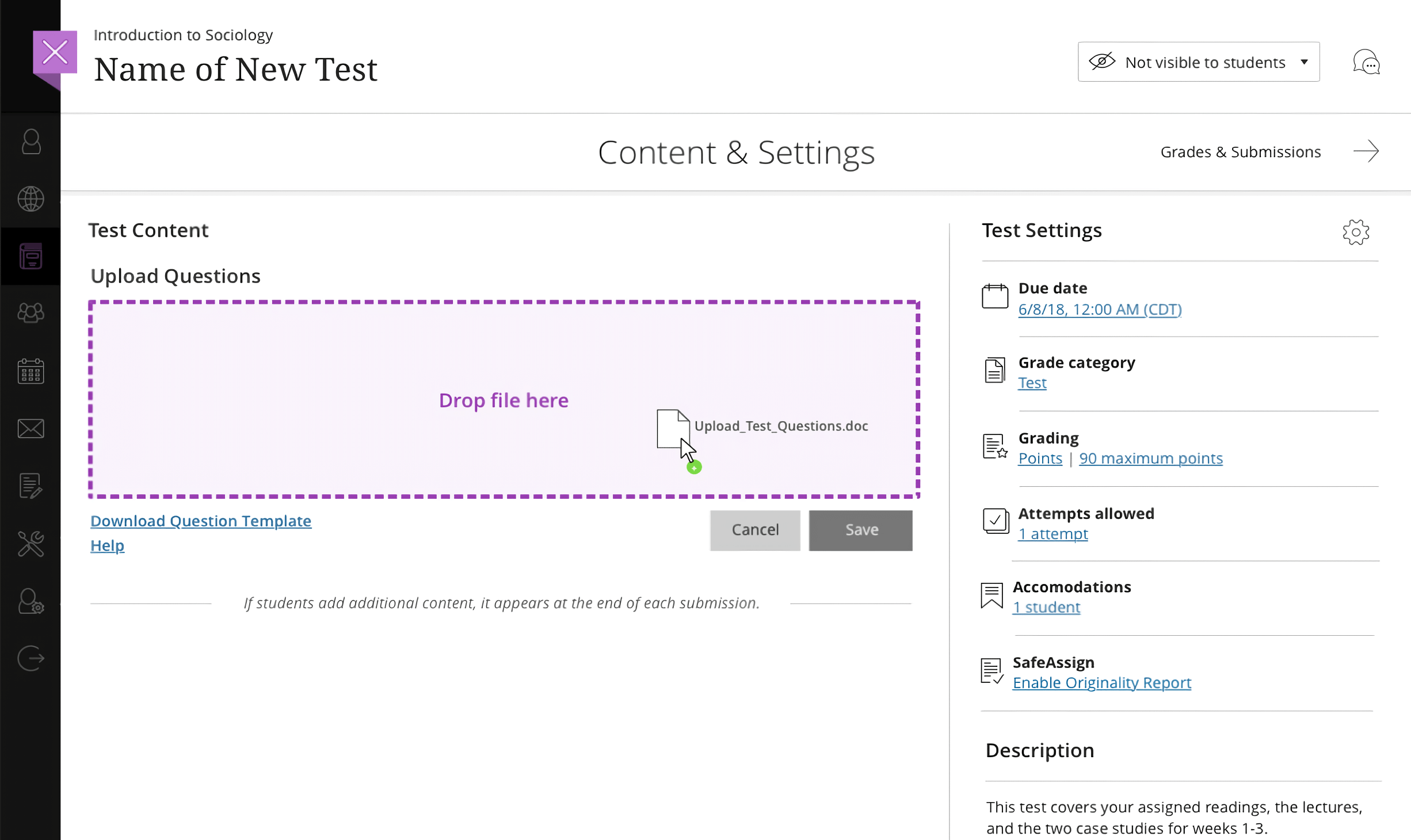
We knew users wanted to import test content from Word or similar file formats. I created and shared early concepts via the Blackboard Community forum, where existing users and stakeholders voted. The assessment import concept emerged as a top priority. After securing buy-in, I partnered with Product Management, Engineering, and (remotely) our sole user researcher, who happened to be on maternity leave. We collaboratively advanced the concept to a working proof-of-concept that allowed instructors to drag-and-drop .docx files to generate auto-gradable assessments.
My Role
- Led ideation, sketching, and concept validation
- Authored research plan, recruited participants, and facilitated multiple research rounds
- Conducted contextual inquiries, interviews, and concept evaluations
- Synthesized findings into actionable insights and shared with cross-functional teams
- Designed wireframes, user flows, and functional specs, including error-handling and formatting standards
- Collaborated with Engineering to support implementation of the proof-of-concept
Research
Approach
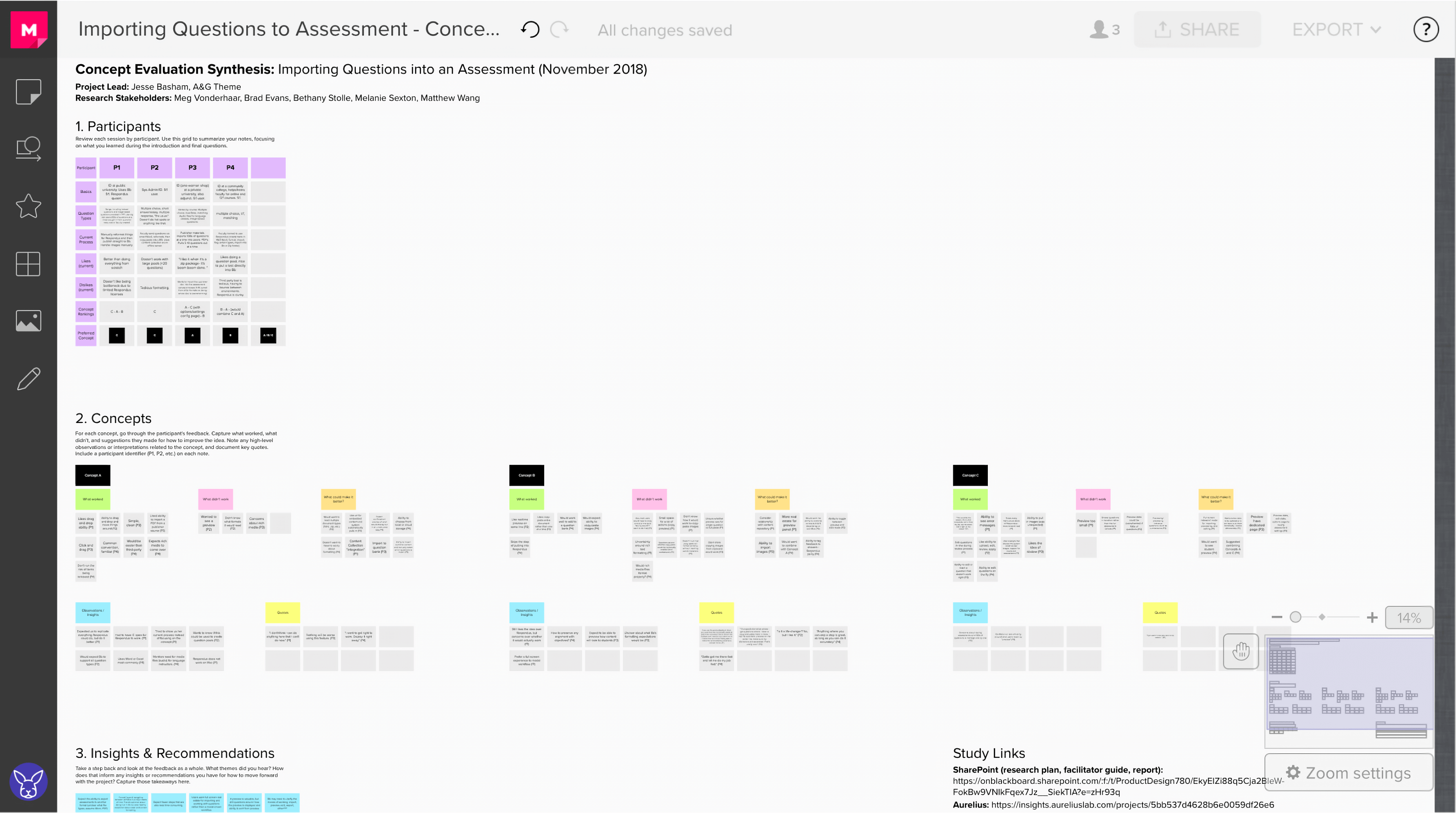
Working with Product Management and Development, I led the research effort to conduct 11 remote sessions with university professors and instructional designers across two research sprints:
- Contextual inquiries to understand current assessment creation workflows
- Concept evaluation interviews to validate proposed solutions
Key Findings
- Instructors frequently build assessments offline or receive publisher-created content
- Existing import solutions create bottlenecks through limited license access
- Third-party tools add cost and learning curves without solving core usability issues
- Formatting inconsistencies and conversion errors are primary pain points
These insights shaped the solution: a native document import workflow with built-in formatting guidance and error remediation.
Design Solution
The core feature was a direct .docx upload to the Learn Ultra assessment canvas, eliminating third-party tool dependencies.
Technical Constraints
Without machine learning capabilities available, the system required structured formatting guidelines. I leveraged existing open source, industry-standard formatting (used by leading third-party tools) to minimize learning curve while providing downloadable templates for new users.
Error-Handling Framework
Our goal was to provide clear feedback and flexible resolution paths. Based on research and anticipated edge cases, I designed a comprehensive error handling system categorized by severity:
- High: Question structure unrecognized (e.g., merged questions due to missing spacing)
- Medium: Recognized questions with ambiguous correct answers due to missing or unclear metadata
- Low: Styling or formatting inconsistencies (e.g., missing bold tags)
I designed an inline annotation system, allowing instructors to quickly identify and resolve individual issues, drawing inspiration from collaborative tools like InVision and Figma. Users could also opt to correct their documents offline and re-upload.
Technical Implementation
I created detailed wireframes, user flows, and functional specifications covering:
- Drag-and-drop import workflow
- Error remediation processes
- Formatting guidelines for multiple question types
- Edge case handling and recovery options
This solution balanced technical feasibility with user needs, providing a scalable foundation for future enhancement.

Outcome
The proof-of-concept entered development in 2019. While I transitioned to a new role at Prism.fm shortly after, this project was an early win for me that demonstrated the value of translating user pain points into meaningful product improvements.
“We wanted to meet a seemingly simple client need, but it became more complex as technical and architectural discussions progressed. Jesse’s thorough, well-structured research uncovered opportunities to simplify the project and got us back on track toward delivering this impactful feature for our users.”
Brad Evans (opens in new tab), Senior Product Manager, Blackboard